

RAM is one of those computer things everyone talks about, but almost nobody really understands. And honestly? The internet hasn’t helped. There are myths everywhere — YouTube comments, Reddit fights, “tech experts” at family dinners. That’s why we’re diving into the Top 10 Myths About RAM And Speed to clear up the confusion.
Not in a perfect, robotic way. Just real talk.
Myth #1. “More RAM Always Makes Your Computer Faster”

This is probably the biggest lie.
Yes, more RAM can help, but only if you actually need it. If you already have enough RAM for what you’re doing, adding more won’t magically turn your laptop into a spaceship. Your browser won’t open “extra fast.” It’ll just… open normally.
RAM isn’t horsepower. It’s more like desk space.
Myth #2. “RAM Speed Matters More Than RAM Size”
People love to argue about MHz numbers like it’s life or death.
In reality? Capacity usually matters more than speed for normal users. 16GB of slightly slower RAM is almost always better than 8GB of super-fast RAM if you multitask, game, or use heavy apps.
Speed differences are real — but they’re often tiny unless you’re doing very specific things.
Myth #3. “Unused RAM Is Wasted RAM”
You’ll hear this a lot. It sounds smart. It’s not.
Modern operating systems intentionally leave RAM unused so they can respond quickly when needed. Empty RAM is not a problem. It’s a feature.
Your computer isn’t lazy. It’s being prepared.
Also Read: Top 10 Myths About Overheating Electronics – 2026
Myth #4. “Closing Apps Frees RAM and Makes Everything Faster”

Sometimes yes. Often no.
Closing a heavy app you’re actually done with? Good idea.
Closing random background stuff just because you’re nervous? Meh.
Your system usually reallocates RAM automatically. Manually micromanaging it all the time is like rearranging chairs on a moving bus.
Myth #5. “Gaming Performance Is All About RAM”
Gamers love this one.
RAM helps, sure — but CPU and GPU matter way more. If your game is lagging, it’s probably not because you have 16GB instead of 32GB.
Once you hit the “enough RAM” point, gains flatten fast.
Myth #6. “Faster RAM Fixes A Slow Computer”
If your computer feels slow, RAM speed is rarely the villain.
More often it’s:
- an old hard drive (HDD instead of SSD)
- a weak CPU
- thermal throttling
- software bloat
Faster RAM won’t save a system that’s struggling everywhere else.
Myth #7. “All RAM Is Basically The Same”
Nope. Not even close.
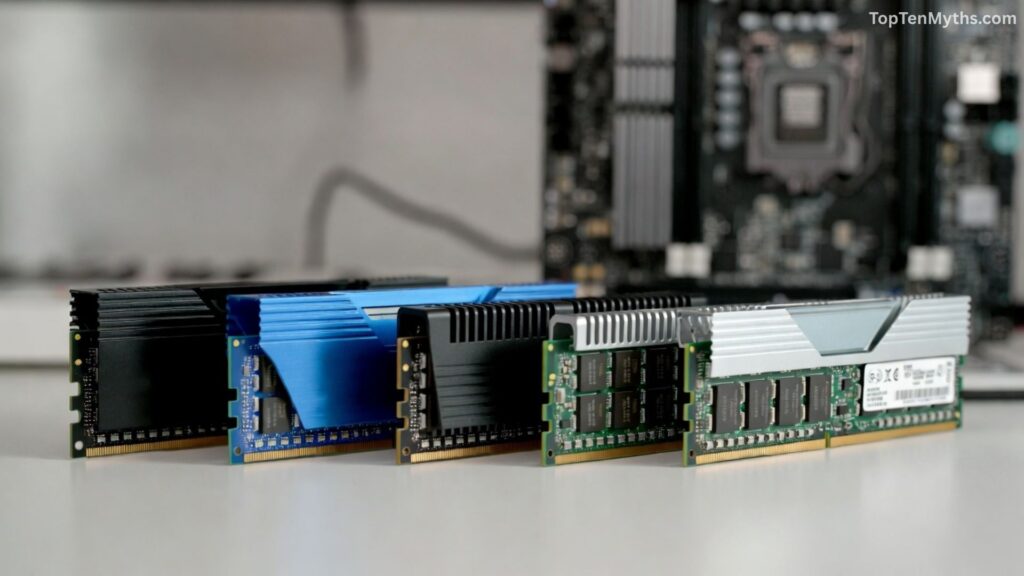
There are differences in:
- generation (DDR3, DDR4, DDR5)
- latency
- compatibility with motherboards
- stability
You can’t just grab “any RAM” and expect magic. Computers are picky. Very picky.
Myth #8. “Virtual RAM Is Just As Good As Real RAM”
This one hurts.
Virtual memory (using storage as fake RAM) is way slower than real RAM. It’s a backup plan, not a replacement. Helpful when you’re out of options, but not something you want to rely on.
SSD– based virtual memory is better than HDD, but still… not great.
Myth #9. “RAM Only Matters For Power Users”
False.
Even regular users benefit from enough RAM:
- lots of browser tabs
- Zoom + Chrome + Spotify + documents
- casual photo editing
You don’t have to be a programmer or gamer to hit RAM limits in 2026.
Also Read: Top 10 Myths About Laptop Performance – 2026
Myth #10. “If My RAM Isn’t Full, I Don’t Need More”
This myth trips people up a lot.
Just because RAM isn’t full right now doesn’t mean you won’t need more. Some apps avoid using RAM aggressively if they know it’s limited. Give them more, and suddenly things feel smoother.
Usage adapts to availability.
Conclusion
RAM isn’t magic. More doesn’t always mean faster, and faster doesn’t always mean better. You just need enough for what you actually do. Once you hit that point, other stuff matters way more — CPU, storage, software, even bad habits like 47 browser tabs. Understand RAM, don’t worship it. Upgrade smart, not emotional.
Frequently Asked Questions (FAQs)
Q. How much RAM do I actually need?
Ans: Depends on what you do. Basic stuff? 8GB is okay. Multitasking, gaming, work? 16GB is the sweet spot. Heavy work? 32GB+.
Q. Will adding RAM make my laptop faster?
Ans: Only if you’re running out of RAM now. If not, you won’t feel much difference.
Q. Is faster RAM worth it?
Ans: For most people, no. It helps a little, but don’t expect miracles.
Q. Why is my RAM always almost full?
Ans: Because your system is smart and uses RAM to stay responsive. That’s normal.
Q. Is DDR5 way better than DDR4?
Ans: It’s better, yes — but not life-changing for everyday use.