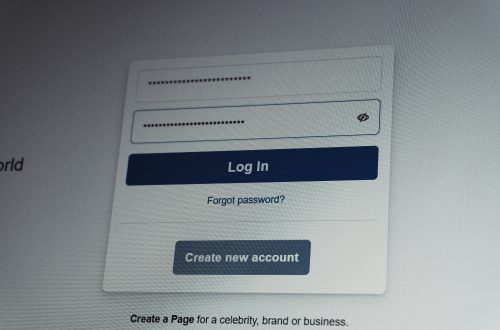
Few things concern internet users more than receiving unexpected security verification emails. You open your inbox and find messages claiming someone attempted to access your account. Sometimes the email asks you to verify your identity. Other times it contains a security code or warns about a login attempt from an unfamiliar location.
For many users, these emails immediately trigger panic. Some assume their account has already been hacked. Others believe their email provider has been compromised or that cybercriminals are actively targeting them.
The reality is often much less alarming.
While security verification emails should never be ignored, they frequently result from legitimate security systems working exactly as intended. Understanding the myths surrounding these alerts can help you respond appropriately and improve your overall online security.
What Are Security Verification Emails?
Modern websites and online services use verification emails to confirm user identity.
Common reasons include:
- New device logins
- Password changes
- Unusual locations
- Security setting updates
- Recovery requests
These messages help prevent unauthorized access.
In many cases, receiving a verification email means the security system is successfully protecting your account.
Myth #1: Every Verification Email Means You’ve Been Hacked
One of the most common cybersecurity myths is that receiving a security email automatically means your account has been compromised.
In reality, many verification emails are triggered by routine activities.
Examples include:
- Signing in on a new device
- Using a different browser
- Clearing cookies
- Logging in while traveling
The Real Solution
Review the email carefully.
Determine whether you recently performed an action that may have triggered the alert.
If the activity was yours, the email may simply be confirming your identity.
New Devices Frequently Trigger Security Checks
Modern security systems monitor device recognition.
If a website doesn’t recognize your device, additional verification may be required.
Common Triggers
- New computer
- New smartphone
- Fresh browser installation
- Factory reset device
Solution
Expect occasional verification requests when using unfamiliar devices.
This behavior is generally normal.
Myth #2: Verification Emails Are Always Scams
Many users assume every security email is fraudulent.
While phishing attacks certainly exist, legitimate security notifications are extremely common.
The Real Solution
Inspect the sender carefully.
Look for:
- Official domains
- Accurate account information
- Consistent branding
Never click links until you’ve verified authenticity.
When uncertain, visit the website directly rather than using links inside the email.
Password Managers Can Trigger Alerts
Many password managers automatically test stored credentials across devices.
This activity occasionally causes security systems to request verification.
Solution
Review recent password manager activity before assuming malicious access.
The alert may be related to legitimate account synchronization.
Myth #3: Ignoring Verification Emails Is Harmless
Some users become so accustomed to security emails that they stop paying attention.
This can be dangerous.
The Real Solution
Review every unexpected security notification.
Even though many alerts are harmless, some may indicate:
- Password guessing attempts
- Credential stuffing attacks
- Unauthorized access attempts
Awareness remains an important part of account security.
VPNs Often Trigger Security Systems
Virtual Private Networks change your apparent location.
As a result, websites may believe you’re signing in from a different region.
Common Effects
- Verification requests
- Login challenges
- Additional authentication
Solution
Understand that VPN usage frequently generates security alerts.
This doesn’t necessarily indicate suspicious activity.
Myth #4: Strong Passwords Eliminate Verification Requests
Strong passwords are important, but modern security systems evaluate more than passwords alone.
They also analyze:
- Device information
- Location
- Login behavior
- Session history
The Real Solution
Use strong passwords and expect occasional verification challenges regardless.
Multiple security layers provide better protection.
Shared Networks Can Trigger Warnings
Public Wi-Fi and shared internet connections sometimes generate unusual login patterns.
Security systems may interpret these patterns as risky.
Solution
Expect additional verification when using:
- Hotels
- Airports
- Coffee shops
- Public hotspots
This behavior is often intentional.
Myth #5: Two-Factor Authentication Makes Verification Emails Unnecessary
Many users assume two-factor authentication replaces all other security measures.
In reality, websites frequently use multiple protections simultaneously.
The Real Solution
Enable two-factor authentication and continue monitoring verification emails.
The two tools work together rather than replacing each other.
Browser Privacy Features Can Affect Recognition
Modern browsers increasingly limit tracking and stored data.
While beneficial for privacy, these features may reduce device recognition.
Common Triggers
- Cookie deletion
- Private browsing
- Anti-tracking tools
Solution
Understand that privacy settings can sometimes increase verification requests.
Myth #6: Verification Emails Only Protect the Website
Some users view verification systems as inconvenient barriers.
However, these tools primarily protect account owners.
Benefits Include
- Unauthorized login prevention
- Account takeover protection
- Recovery verification
- Fraud reduction
The Real Solution
Treat verification systems as valuable security tools rather than obstacles.
Attackers Often Test Credentials Automatically
Cybercriminals frequently use automated tools to test stolen usernames and passwords.
Even if the login attempt fails, a website may generate a security alert.
Solution
Change your password immediately if you receive an alert for activity you don’t recognize.
Myth #7: Security Emails Mean Your Email Account Is Unsafe
Users often confuse account alerts with email account compromise.
Most verification emails simply report activity occurring elsewhere.
The Real Solution
Review the source account involved before assuming your email has been breached.
How to Respond to Unexpected Verification Emails
When you receive an unfamiliar security notification:
- Verify the sender.
- Check recent account activity.
- Avoid clicking suspicious links.
- Log in directly through the official website.
- Change passwords if necessary.
- Enable two-factor authentication.
- Review connected devices.
This process helps determine whether action is required.
Preventing Future Security Concerns
Several habits improve account safety:
- Use unique passwords
- Enable two-factor authentication
- Monitor login activity
- Avoid password reuse
- Update recovery information
- Review account security settings regularly
Why Verification Email Myths Continue to Spread
Security systems have evolved significantly over the past decade.
Many users encounter more alerts today than ever before.
As a result, misconceptions about verification emails continue to circulate online.
Understanding how modern account protection systems work helps separate legitimate security measures from genuine threats.
Final Thoughts
Receiving security verification emails can be unsettling, but they don’t automatically indicate that your account has been hacked. In many cases, these notifications are evidence that modern security systems are functioning properly. By understanding the real reasons behind verification requests and avoiding common myths, users can respond confidently and maintain stronger online security.